

|
Binary And Denary (Festive Version)In this festive themed lesson, students will learn about how data is stored in computers and also how to convert binary to denary (and vice-versa).
|
Learning Objectives:
Lesson:
Suggested time: 50-100 mins
Curriculum Mapping:
- Understand how data is stored in computers using Binary
- Convert positive denary whole numbers into binary numbers
- Convert binary numbers to denary
Lesson:
Suggested time: 50-100 mins
Curriculum Mapping:
KS3 Computing:
- Understand how numbers can be represented in binary and be able to carry out simple operations on binary numbers → Students convert between denary and binary, and understand binary shifts and overflow errors.
KS4 (GCSE OCR J277):
- Convert positive denary whole numbers to binary (up to 8 bits) and vice versa
- Understand binary number range: 00000000 – 11111111 and denary range: 0 – 255
- Carry out binary shifts (left and right)
- Explain overflow errors in binary addition → These are explicitly required skills for GCSE Computer Science.
Data and Computational Thinking:
- Data representation and manipulation → Binary and denary conversion supports understanding of how numeric data is stored and processed digitally.
- 1.5 Computational Thinker → Students apply logical reasoning and mathematical concepts to convert and manipulate binary and denary values.
- 1.3 Knowledge Constructor → Students explore how binary simplifies data representation and supports efficient processing.
Algorithms and Programming (AP):
- 2-AP-11: Create programs that use variables to store and modify data → Binary and denary values are often used in programming tasks involving calculations and data representation.
Data and Analysis (DA):
- 2-DA-07: Represent data in multiple ways → Binary and denary are alternative representations of numeric data, supporting this standard.
- MS-ETS1-1: Define criteria and constraints of a design problem → Binary conversion can be used in design constraints involving data size and readability.
- Science Practices: Using mathematics and computational thinking → Binary and denary conversion is a direct application of computational thinking in digital systems.
- CCSS.MATH.CONTENT.6.EE.A.2: Write, read, and evaluate expressions in which letters stand for numbers → Binary and denary conversion supports understanding of numeric expressions and symbolic reasoning.
- CCSS.MATH.CONTENT.7.EE.B.3: Solve multi-step real-life and mathematical problems posed with positive and negative rational numbers → Binary arithmetic introduces students to alternative number systems and problem-solving strategies.
Starter:
Start the lesson by displaying the following binary joke on the board:
“There are 10 types of people in the world: Those who understand binary and those who don’t”
After a quick scan of the classroom to gage how many people get the joke, explain to the class that the punch line will be revealed at the end of the lesson.
Once students have settled, ask them what is the maximum number they can count using both hands (Hopefully the students should say 10!). Tell the students that you can count up to 1000 using just two hands. When the students tell you that this is impossible, explain to them that this is all possible thanks to Computer Science.
Start the lesson by displaying the following binary joke on the board:
“There are 10 types of people in the world: Those who understand binary and those who don’t”
After a quick scan of the classroom to gage how many people get the joke, explain to the class that the punch line will be revealed at the end of the lesson.
Once students have settled, ask them what is the maximum number they can count using both hands (Hopefully the students should say 10!). Tell the students that you can count up to 1000 using just two hands. When the students tell you that this is impossible, explain to them that this is all possible thanks to Computer Science.
Introduction (Unplugged version):
Began by explaining that data in computers is stored and transmitted as a series of zeros and ones. Demonstrate this using the following activity from CS Unplugged called counting the dots: Binary numbers - CS Unplugged
Start by choosing 5 volunteers, and give each volunteer one of five cards (each with dots on one side and nothing on the other). See attached:
Began by asking the students what they notice about the number of dots on each card (Wait for the students to identify that each card has twice as many dots as the previous card)
Next, ask the students how many dots would the next two cards have and why.
Ask the 5 volunteers to flip their cards over one at a time and, with input from the rest of class, explained what each card represented.
Follow this by asking the volunteers to make other numbers such as 6 (4-dot and 2-dot card) and 21 (16-dot, 4-dot and 1-dot cards). Then ask the students to flip over all their cards (so that all the dots are facing forward) and ask the rest of the class to calculate the total and explain how they worked it out.
Finally, challenge the volunteers to count from zero to 31 by flipping the cards in sequence.
For an example of how to deliver this activity, see the video below:
Began by explaining that data in computers is stored and transmitted as a series of zeros and ones. Demonstrate this using the following activity from CS Unplugged called counting the dots: Binary numbers - CS Unplugged
Start by choosing 5 volunteers, and give each volunteer one of five cards (each with dots on one side and nothing on the other). See attached:
Began by asking the students what they notice about the number of dots on each card (Wait for the students to identify that each card has twice as many dots as the previous card)
Next, ask the students how many dots would the next two cards have and why.
Ask the 5 volunteers to flip their cards over one at a time and, with input from the rest of class, explained what each card represented.
Follow this by asking the volunteers to make other numbers such as 6 (4-dot and 2-dot card) and 21 (16-dot, 4-dot and 1-dot cards). Then ask the students to flip over all their cards (so that all the dots are facing forward) and ask the rest of the class to calculate the total and explain how they worked it out.
Finally, challenge the volunteers to count from zero to 31 by flipping the cards in sequence.
For an example of how to deliver this activity, see the video below:
Unplugged: The show. Part 2: Binary - Counting

| idea_63_binary_numbers.pdf |
|
Teacher tip: Alternatively, if you're short on time, you can just show the video above.
|
Introduction (Digital version):
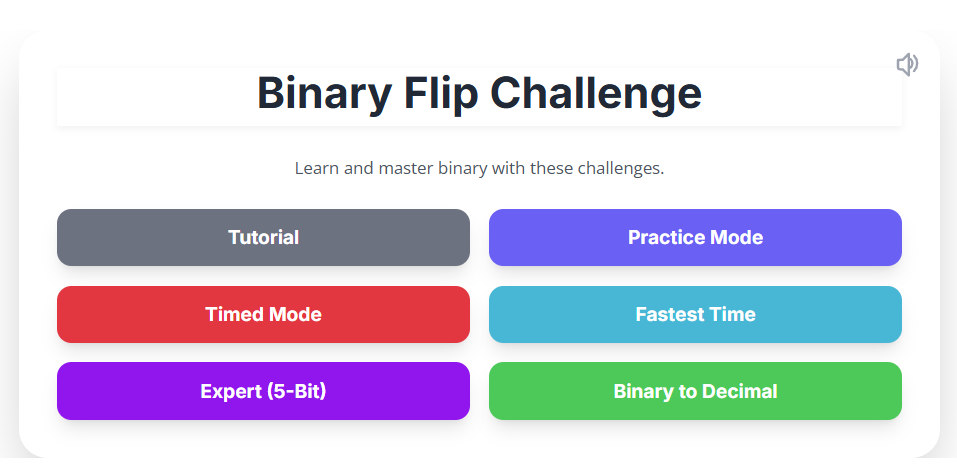
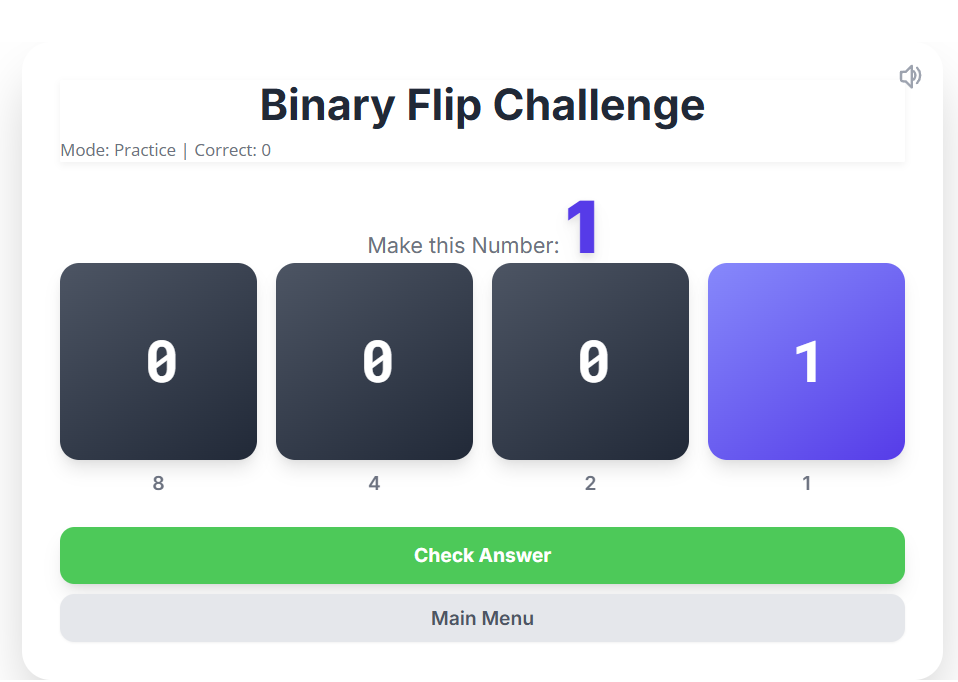
Alternatively, direct students to the Binary Flip card activity. Instruct students to start with the tutorial first and then follow up with the practice mode. Once the students have mastered the basics, they can move onto the timed and fastest time challenge. For students who need stretch and challenge, direct them to try the Expert (5-bit) mode.
Alternatively, direct students to the Binary Flip card activity. Instruct students to start with the tutorial first and then follow up with the practice mode. Once the students have mastered the basics, they can move onto the timed and fastest time challenge. For students who need stretch and challenge, direct them to try the Expert (5-bit) mode.
w
Main Challenge
Hand out the following worksheets and challenge students to crack Santa's code. Worksheet based on the CS Unplugged activity “Binary numbers” (See original activity here)
Hand out the following worksheets and challenge students to crack Santa's code. Worksheet based on the CS Unplugged activity “Binary numbers” (See original activity here)
| unplugged-01-binary_numbers_starter.pdf |
| binary_xmas_challenge.pdf |
| binary_xmas_challenge_answers.pdf |
Additional resource
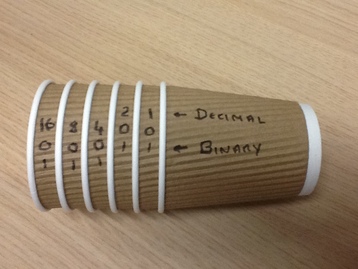
An idea picked up from Dan Aldred (@TeCoEd) https://www.tecoed.co.uk/downloading/counting-binary-with-cups
- Use coffee cups to aid students who struggle with the tasks.
- Use coffee cups to aid students who struggle with the tasks.
Extension
Challenge students to create their own binary coded messages.
Finally, show the binary joke on the board again and choose a student at random to explain the punch line.
Tags: GCSE, KS4, Theory, Computing Theory, CS Theory, Binary, Binary Representation, binary 2, binary conversion, how to do binary conversion, counting binary, binary number to decimal, binary 101, 8 binary, binary digits, binary digit, meaning of binary